AI assistive tool for educators
My Role
UX Design, User research, Design Synthesis, Prototyping
Timeline
5 Weeks
Team
5 Design Interns
Tools
Figma
Context
KAI.AI is an assistive tool designed to help educators plan out lessons and create classroom material through a chatbot. During my internship, I designed an early version of this calendar and reminders system. I revisited this project to improve the calendar interface and integrate the calendar system with the KAI’s AI chat with conversational planning.
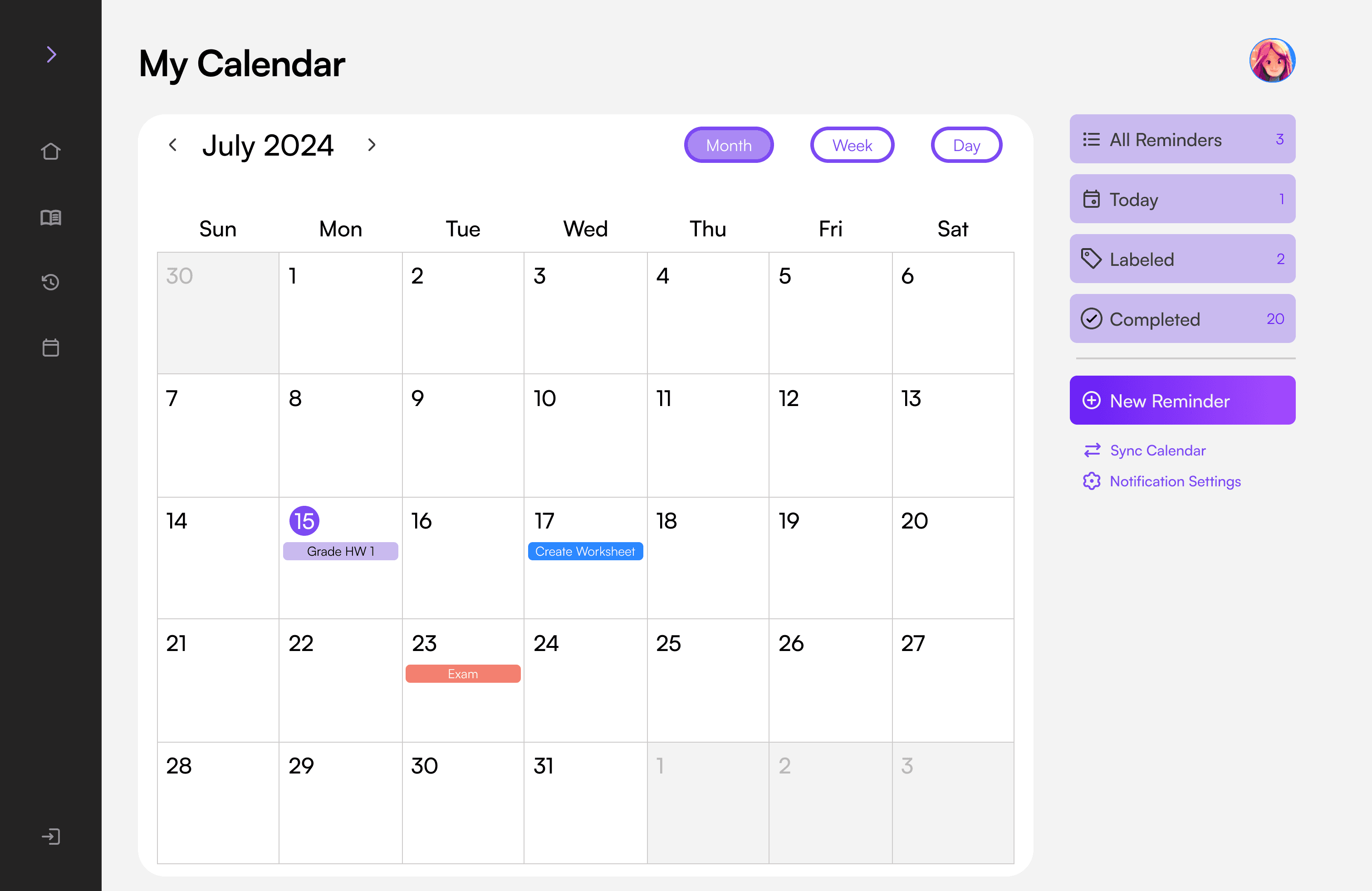
Old Calendar
New Calendar
Problem
The first version of the system treated reminders and calendar events as the same thing. Whenever teachers asked KAI to “remind” them of something, it became an event placed onto the calendar. This created several issues.
Reminders were indistinguishable from real events. A reminder to “Create Worksheet” looked the same as an “Exam” event.
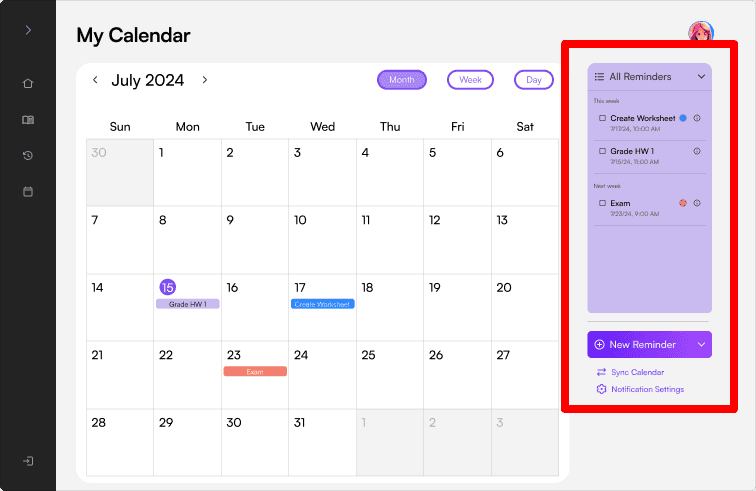
Completing a reminder required multiple steps. Teachers had to open the calendar → find the reminder → manually mark it done. This felt like “busywork” and made the assistant feel less helpful.
The calendar existed separately from the AI chatbot, which meant educators couldn’t use KAI to add, modify, or reorganize events. This forced them to bounce between chat and calendar views, adding unnecessary friction to an already busy planning workflow. Without AI-assisted scheduling, KAI’s calendar offered little value beyond a traditional calendar app.
Calendar
AI Chat
Research
I managed to reconnect with one educator that the team had previously interviewed for the inital design. This follow-up conversation helped confirm the issues I identified in the earlier reminders-based system:
Redesigning Approach
Transform a reminders-centric system into a calendar-first, AI-supported planning experience
Design Solutions
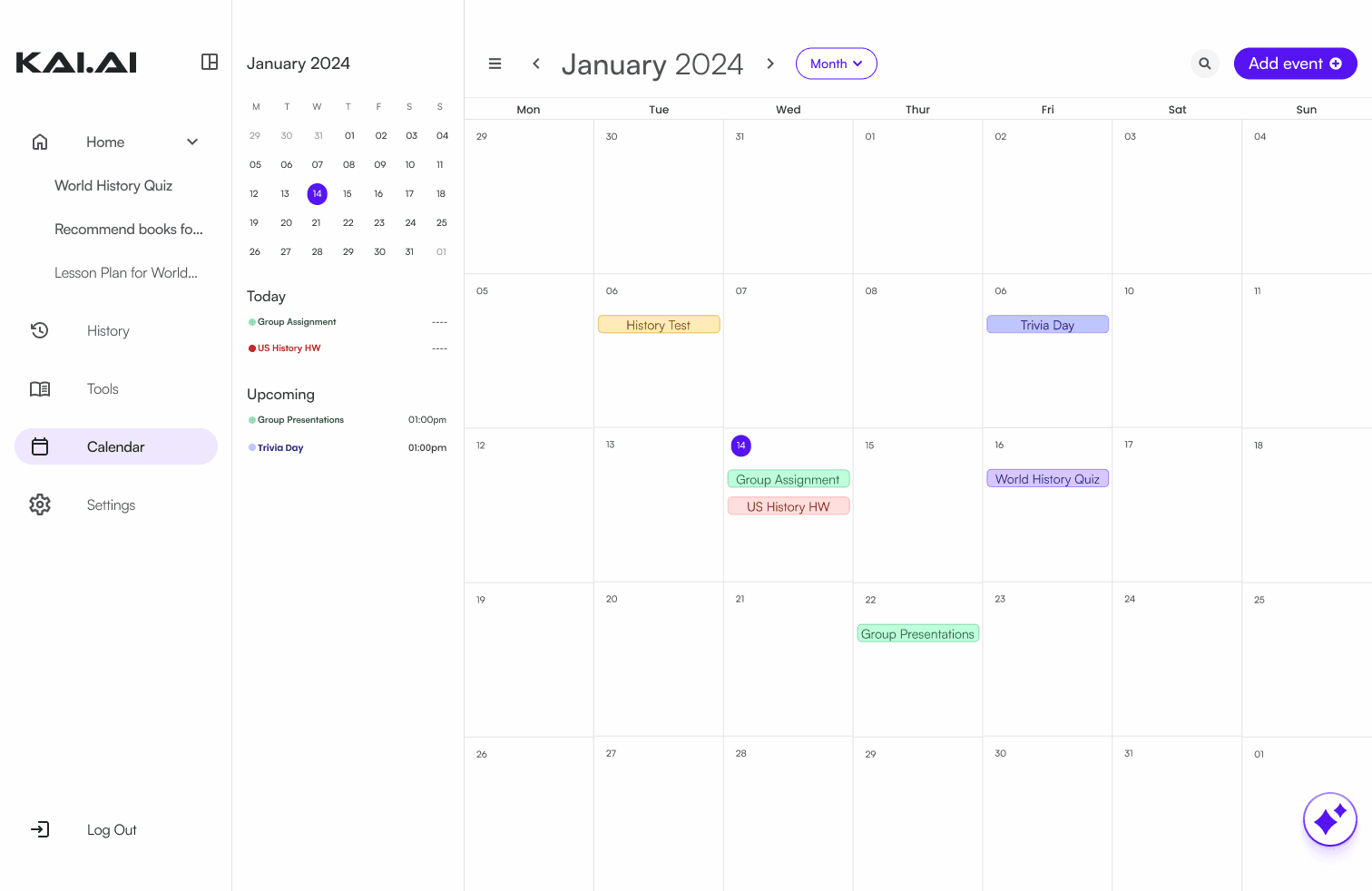
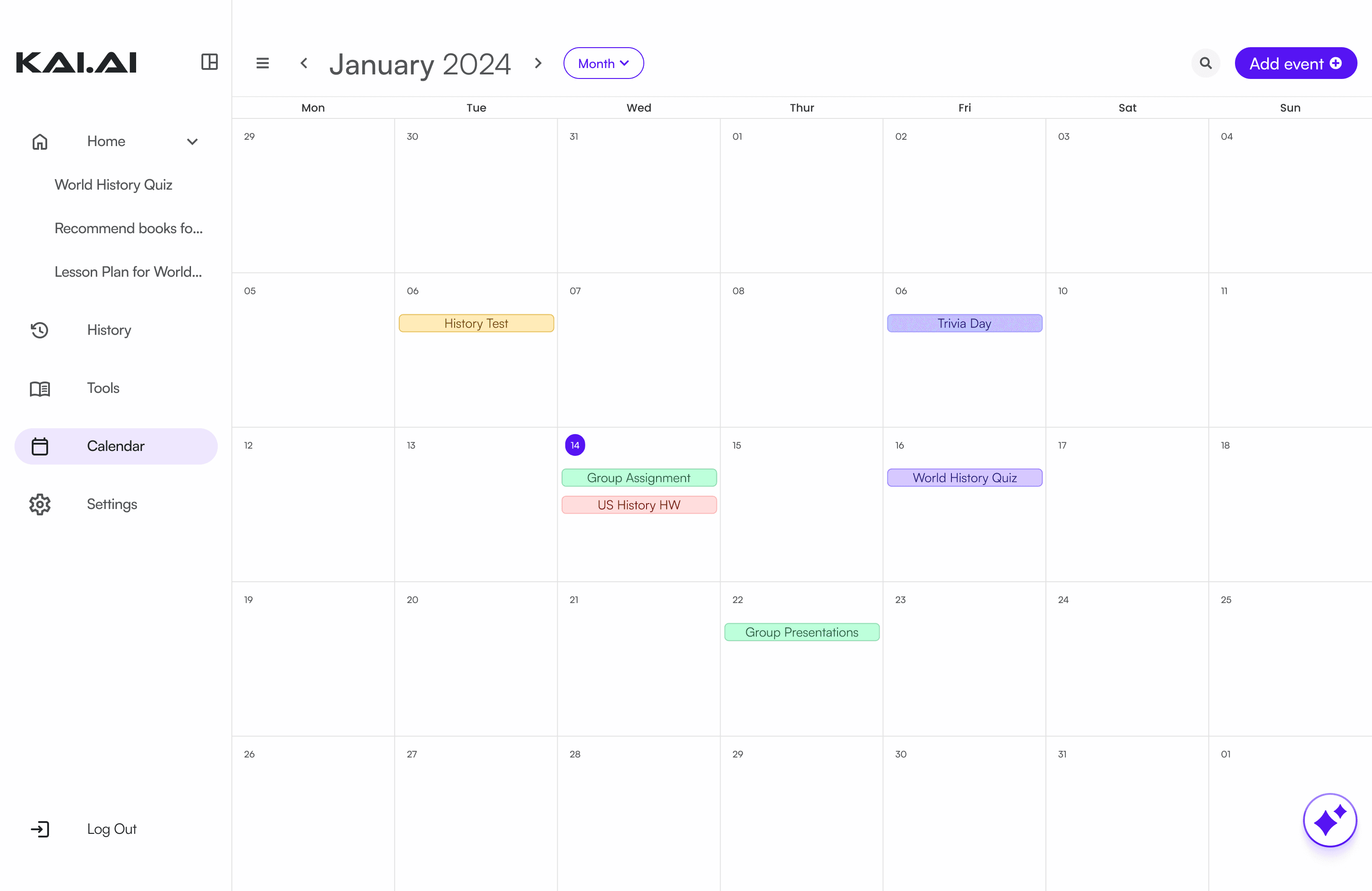
Removed the reminders system to reduce confusion. This made the calendar easier to scan and removed the extra workflow of marking reminder events as completed.
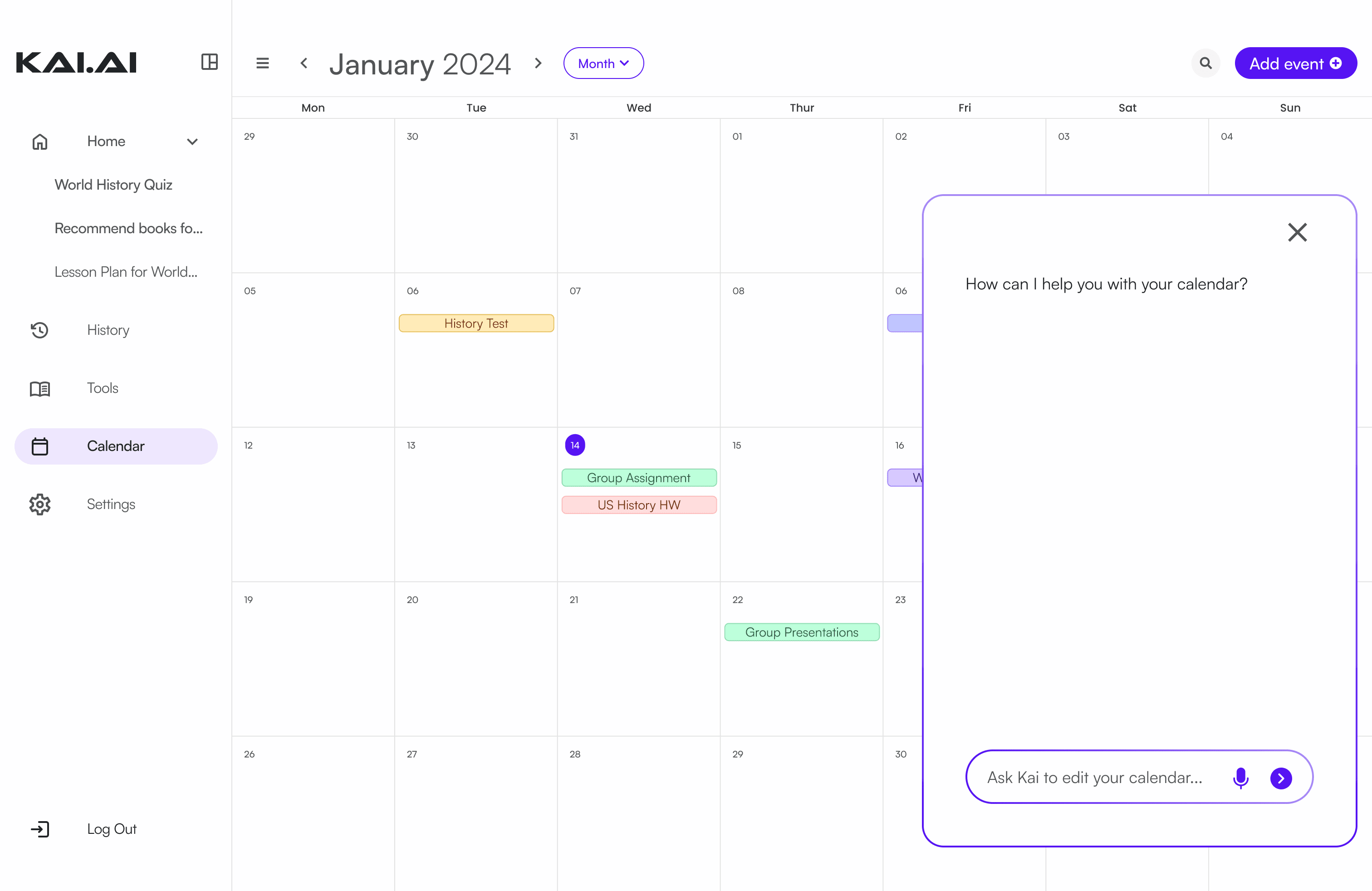
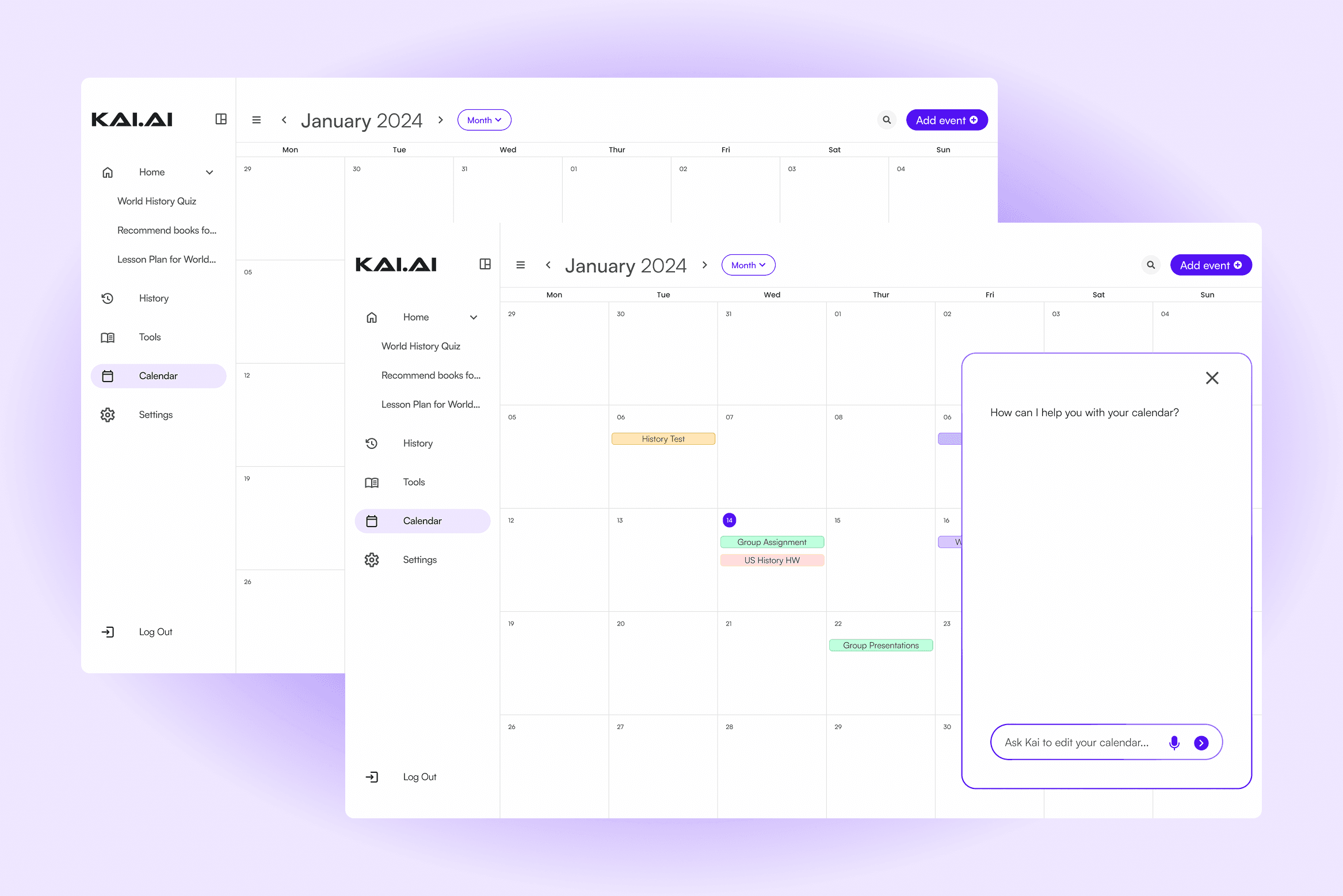
Added an AI chat panel directly to the calendar screen
To support conversational planning, I integrated the chat alongside the calendar instead of treating it as a separate feature.
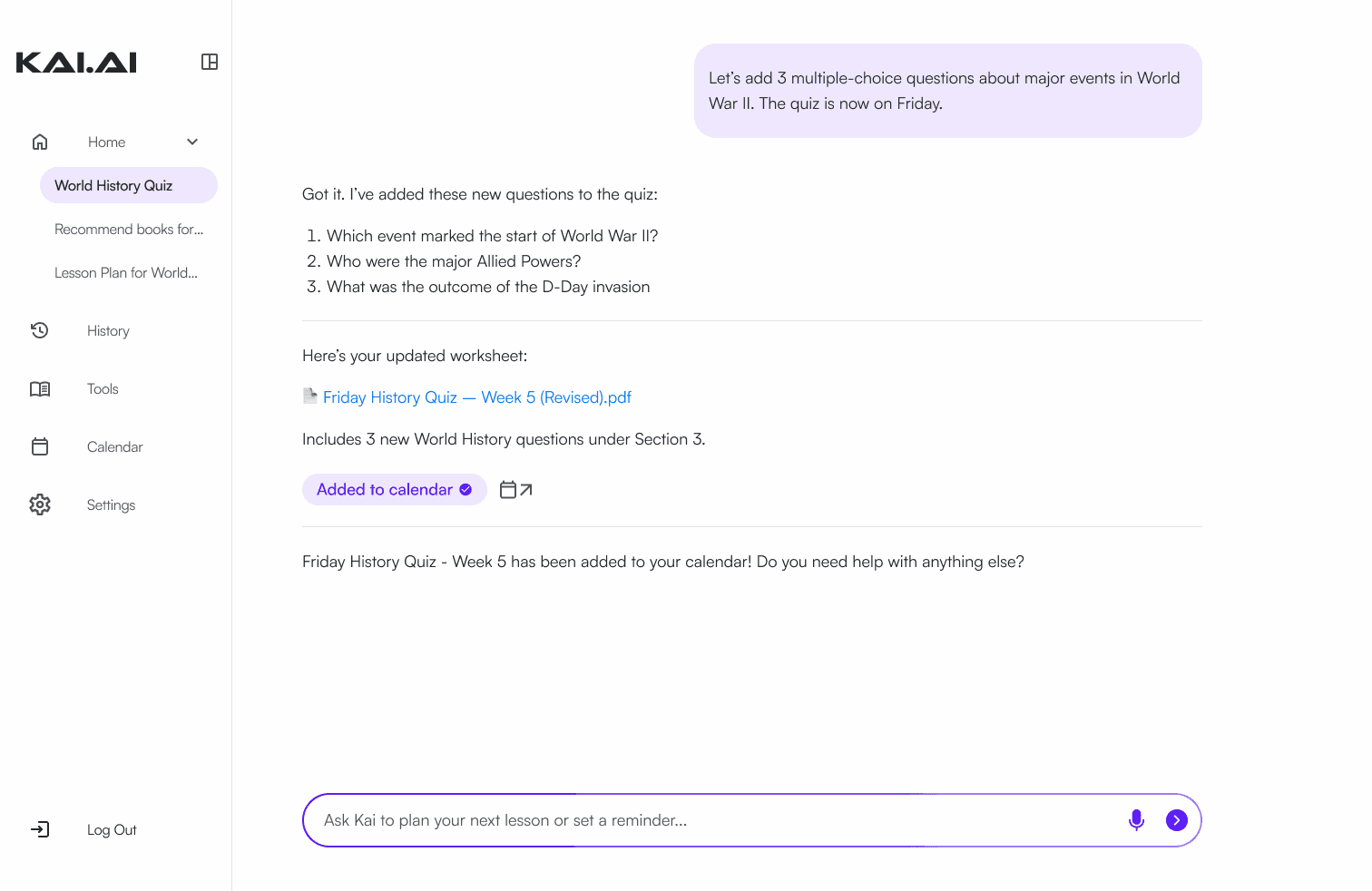
Enabled AI-generated actions inside the chat
When KAI suggests or creates something, teachers can tap “Add to calendar” directly from the chat bubble. This creates a two-way interaction between the calendar and the AI.
Overall UI Updates
The original interface was functional but visually dense, making it hard for educators to understand their schedule at a glance. In the redesign, I focused on creating a calmer, more structured UI. With a more refined layout, improved typography, and consistent components, the calendar felt organized and predictable. These updates made the system more visually balanced and better aligned with the simplicity teachers expect from a planning tool.
KAI.AI Calendar Showcase

Reflection
Redesigning KAI.AI's calendar system taught me the importance of aligning product behavior with real user mental models. Through revisiting this project and speaking again with a user, I learned how crucial it is to question early assumptions. The original design treated reminders as calendar events, but teachers didn't see them the same way. Although I was sad to remove reminders from the original design, it allowed for a more simple experience that matches real needs.
Integrating AI directly into the calendar further reinforced this lesson, and this process has helped me think more deeply about how AI can support users without overwhelming them.
What's Next?
Although KAI.AI has rebranded into Reality.AI and the company has moved on to different projects, the future of this project could be explored more through expanding AI actions. Actions such as AI calendar suggestions and generating weekly summaries would deepen the value of the AI beyond simple commands.